Publisher leaves Microsoft 365 on October 1, 2026

Open your .pub files.
Keep editing them.

stillPUB opens the Publisher files you already have, in your browser, and keeps them editable: text boxes, pictures, pages, the way you always worked. Print them as high-quality PDFs or export JPG and PNG. Free, no account, and your files never leave your computer.

Free, no subscription No account No upload No installation Works offline after first load

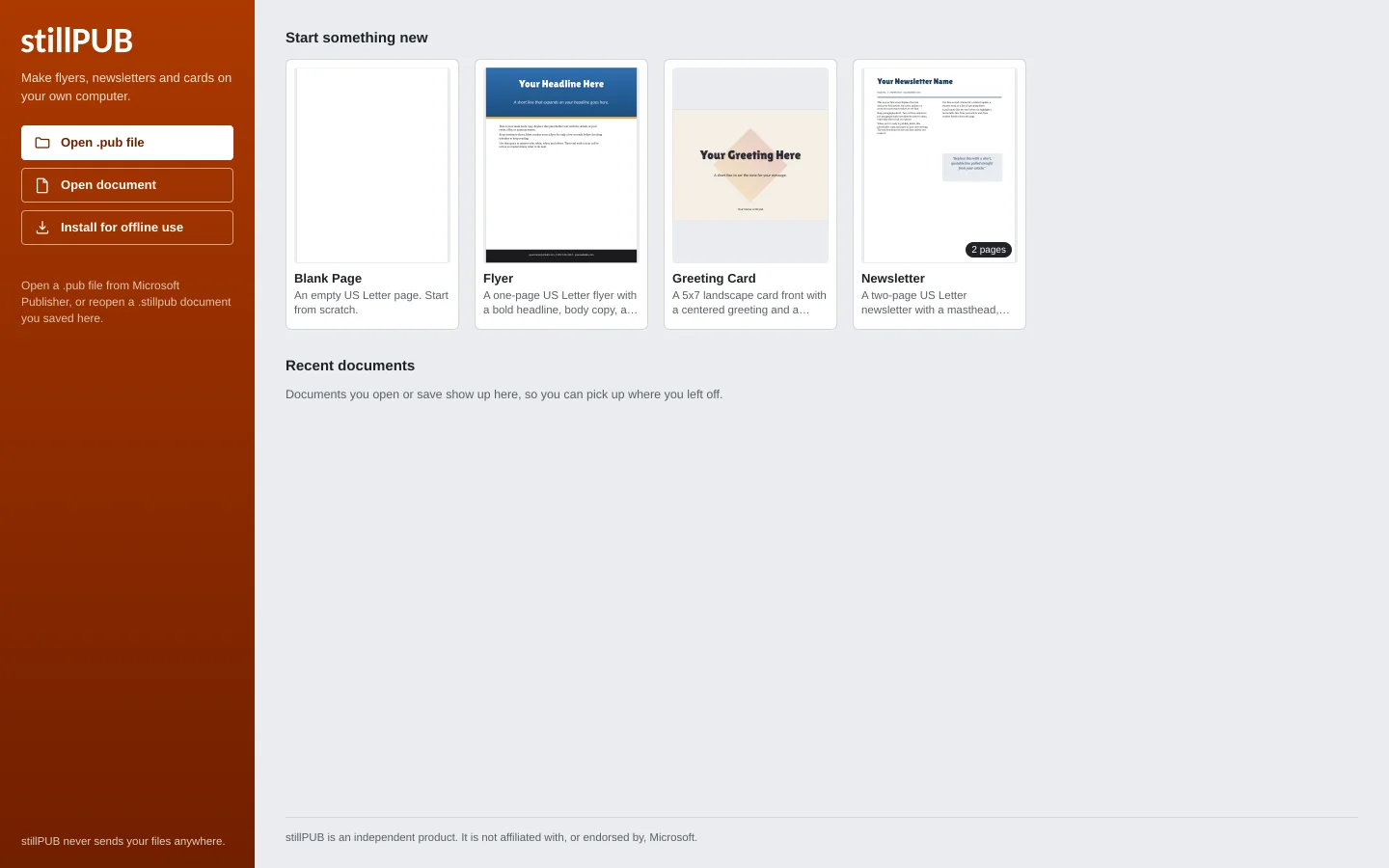
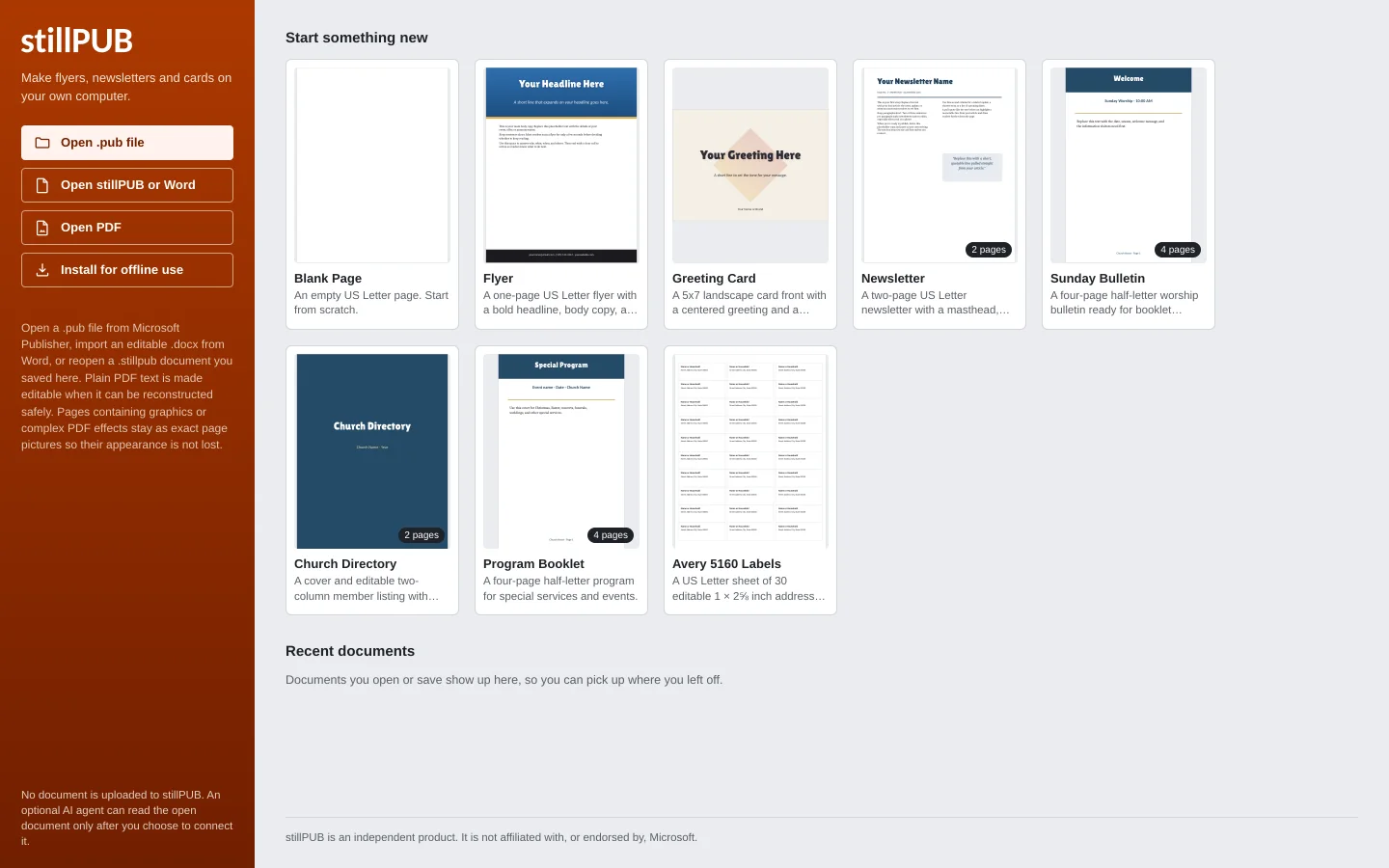
The stillPUB start screen: template cards for a blank page, flyer, greeting card, newsletter, church bulletin, directory, program booklet and labels, with Open .pub file, Open stillPUB or Word and Open PDF buttons.
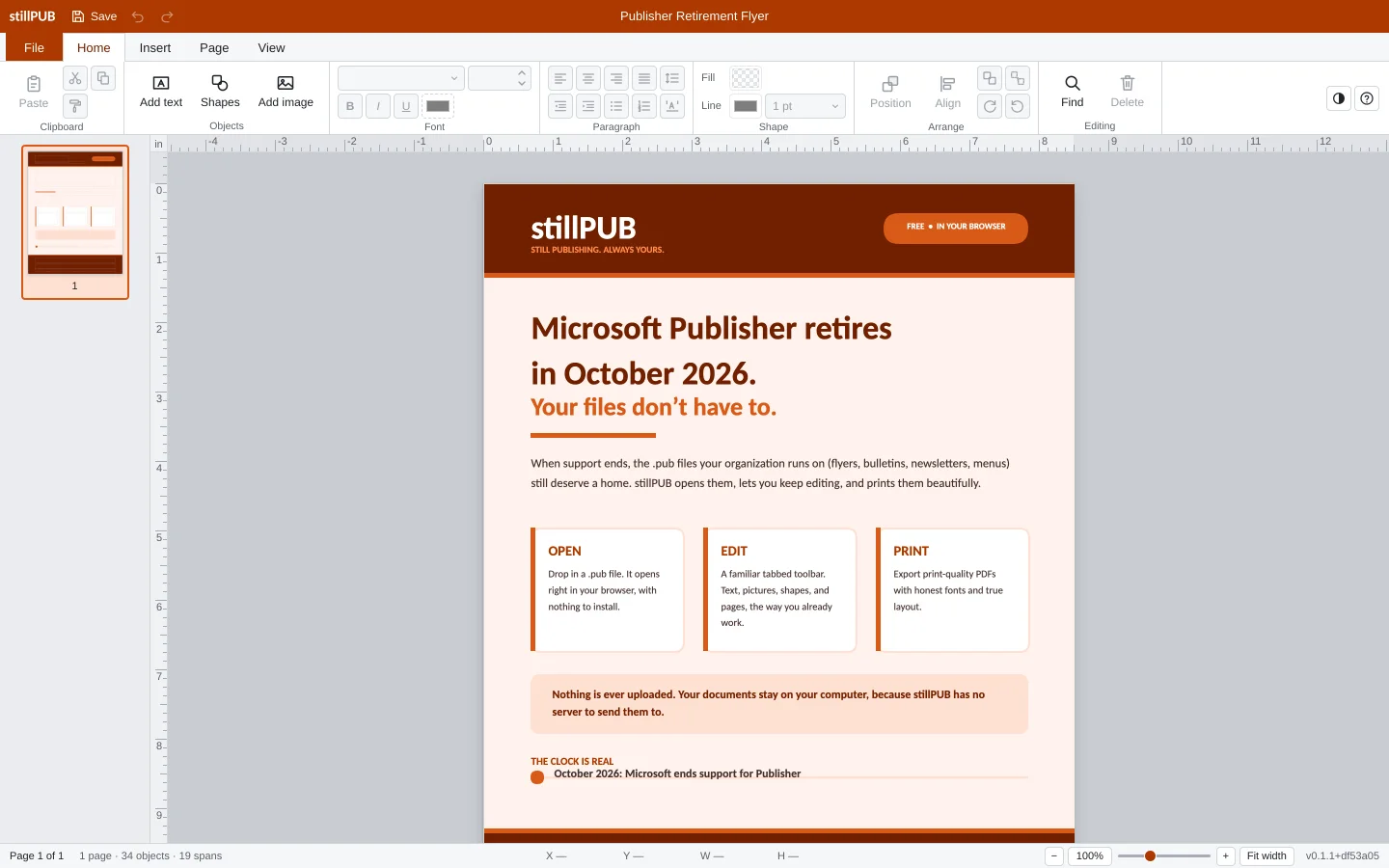
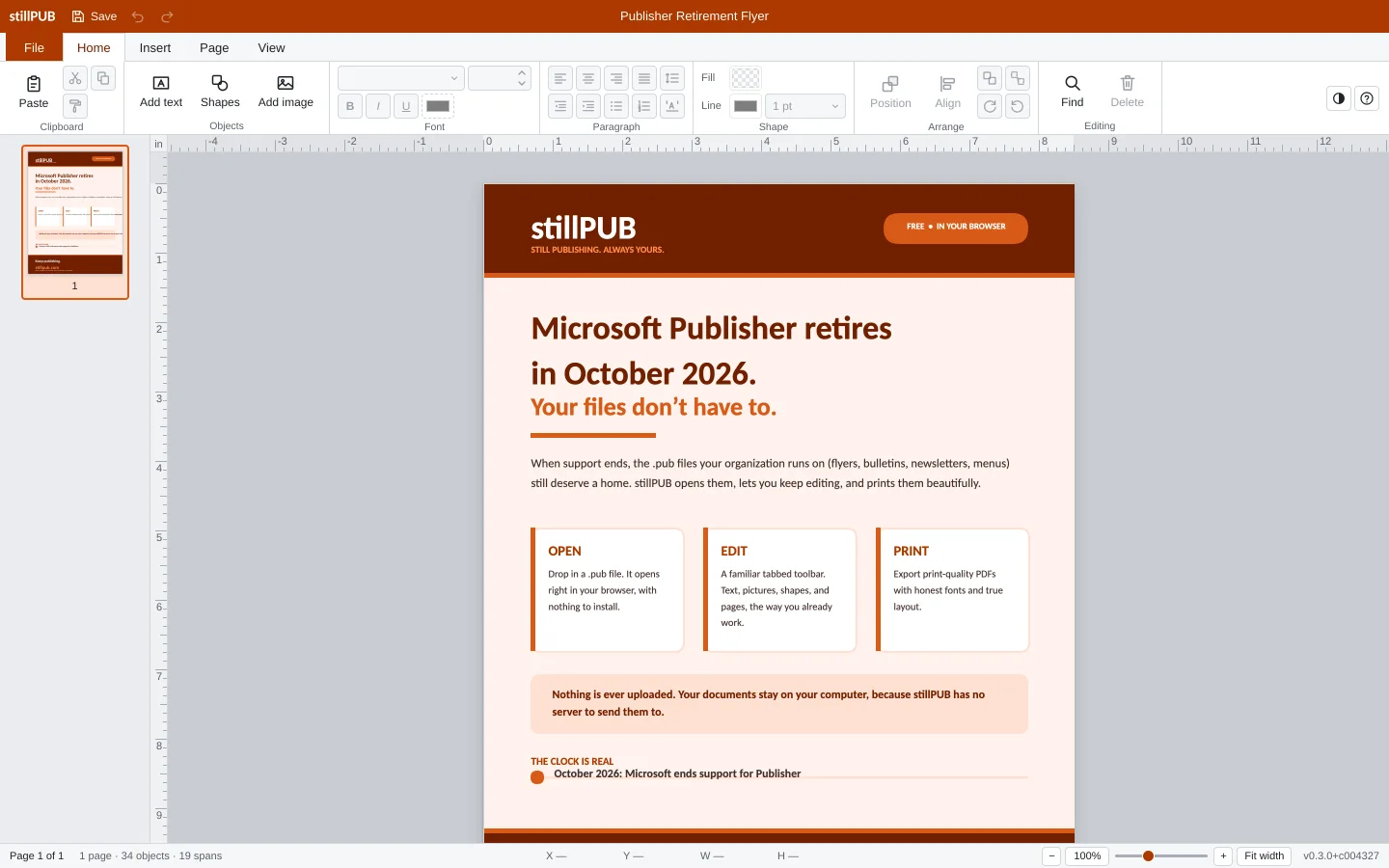
A finished flyer about Microsoft Publisher's October 2026 retirement open for editing in stillPUB: tabbed toolbar, rulers, page thumbnail, and the flyer on the page canvas.
What it does

Made for the people Publisher is leaving behind

Church bulletins, school newsletters, club flyers, certificates. The documents that were never going to be rebuilt from scratch.

Opens your real files

Bring the bulletins, newsletters, certificates, and flyers you've built over the years. stillPUB reads .pub files and imports Word .docx files directly. When it detects a conversion change, it names it in the import warnings so you can check the affected pages.

Edits the way you remember

Text boxes, pictures, and shapes on a page, with a familiar tabbed toolbar. Move things, restyle them, add pages, and line everything up with rulers, margins, and snapping.

Prints like it should

Export a print-quality PDF with embedded fonts for the printer or print shop, or export pages as JPG or PNG for email, websites, and social media.

  • 3file types open: .pub, Word .docx and PDF
  • 8templates, including a church bulletin and Avery 5160 labels
  • 0uploads, accounts or trackers. Works offline after the first visit
  • 3ways out: PDF with embedded fonts, JPG, PNG at up to 300 dpi
See it work

Open, edit, export.

Sixty seconds recorded from the real app, then the same four steps as stills.

Real Publisher file, opened, edited and exported in the browser. Nothing uploaded.
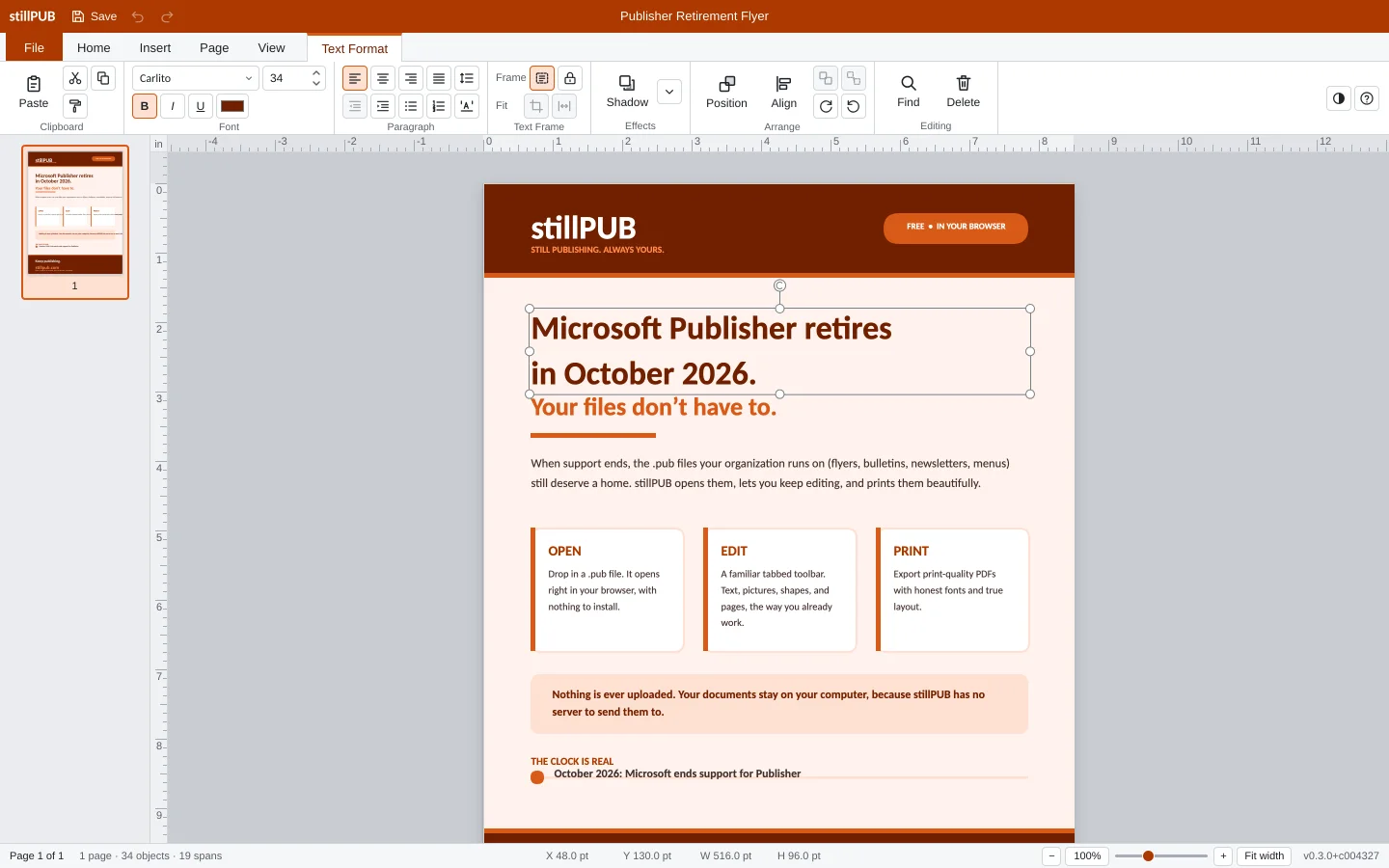
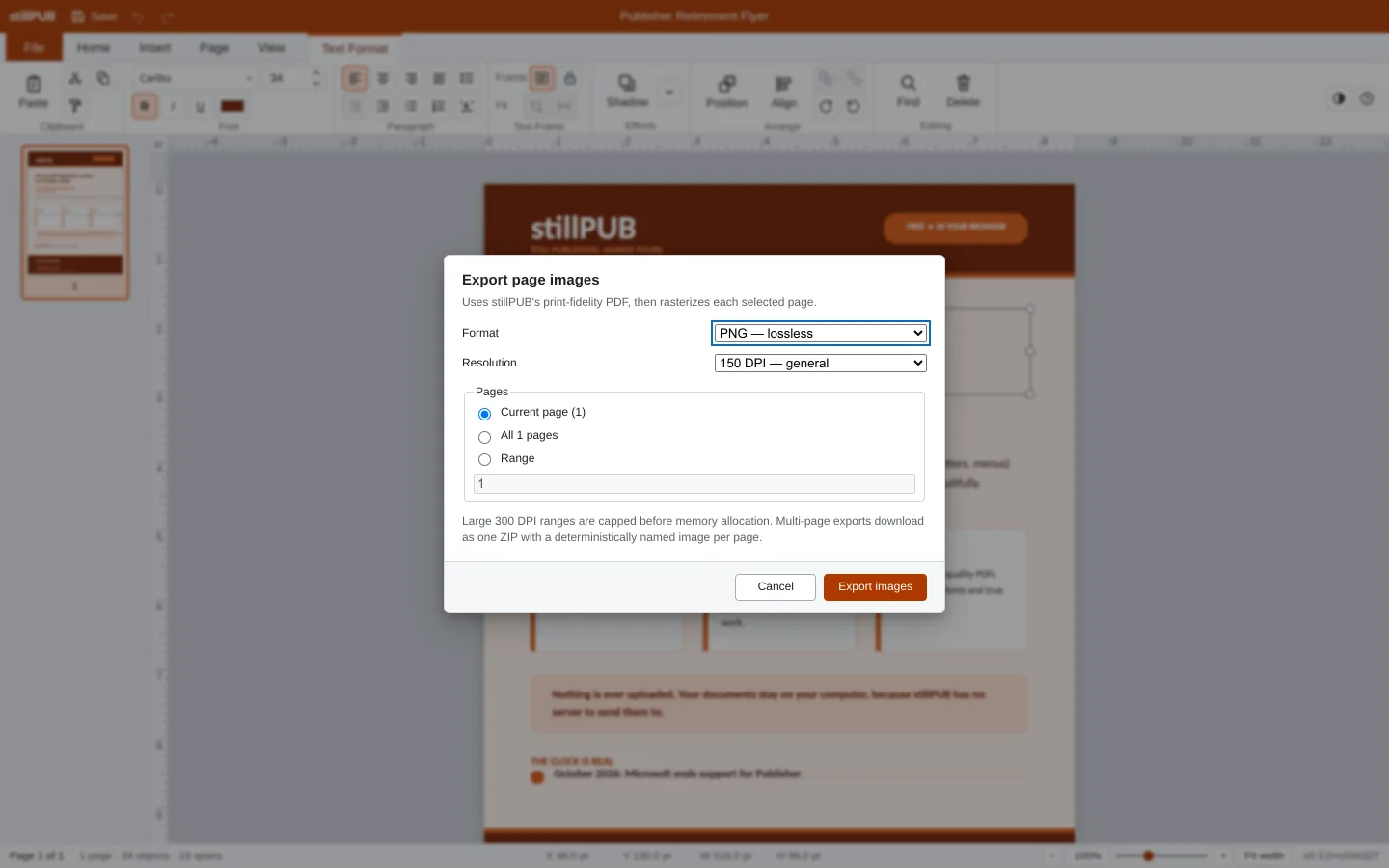
Step 1: the stillPUB start screen with the Open .pub file button and the template cards. Step 2: a flyer open in the editor with page thumbnails, rulers and the tabbed toolbar. Step 3: the headline text box selected on the page, with the Text Format tab showing font and paragraph tools. Step 4: the Export page images dialog offering PNG or JPG at 96, 150 or 300 dpi.
Private by design

Your files stay on your computer.

This page is a website, but the app does all of its work on your own machine. There is no upload button because there is nowhere to upload to.

  • Files open locally in your browser and save back to your computer.
  • No account, no sign-in, and nothing stored on our side.
  • Works offline once loaded.
  • Built by an independent studio with no data business behind it.

One honest exception: stillPUB has an optional AI session that is off until you start it yourself. If you connect an AI agent, that agent can read your document, and many agents are cloud services. The Privacy Policy spells out exactly what it sees.

Your computer Opens, edits, and exports here No server Nothing to upload to
The deadline

What actually happens in October 2026

Two dates matter, and neither one of them touches the files you already have.

  days until Microsoft 365 loses Publisher
October 1, 2026
  days until support ends for bought copies
October 13, 2026

Dates from Microsoft's support article "Microsoft Publisher will no longer be supported after October 2026". The full timeline and a plan are in the end-of-support guide.

October 1, 2026

Publisher is removed from Microsoft 365

Subscribers lose the application itself. Microsoft says they "will no longer be able to open or edit Publisher files in Publisher". Nothing else in the suite opens a .pub file.

October 13, 2026

Support ends for bought copies

Perpetual Publisher licences keep running on the machines they are on, with no further updates, fixes or support.

After that

Your files are still sitting there

The .pub files on your computer are not deleted or changed. They just need a program that reads them, or they become unreachable. stillPUB exists so those files keep working.

Questions

Questions people ask first

Does my file get uploaded anywhere?

No. The page you're reading is hosted like any website, but when you open a .pub file, all reading, editing, and PDF exporting happens inside your browser on your own computer. Your document never travels over the internet, and there is no server that could store it.

Can I still open .pub files after Publisher is gone?

Yes. Retirement removes the Publisher application, not your files. The .pub documents on your computer stay exactly where they are, and stillPUB reads them directly, so you can keep opening, editing, and printing them.

Will my file look exactly the same?

Many documents retain their text boxes, pictures, shapes, and layout. Some Publisher features do not have an equivalent yet, and fonts can change line breaks. stillPUB names conversion changes it can detect in the import warnings. Check every page before relying on it, because an empty panel is not proof of identical visual fidelity. See the Publisher compatibility guide.

Is there a free alternative to Microsoft Publisher?

Yes. stillPUB is a free, browser-based alternative to Microsoft Publisher. It opens .pub files and Word .docx files, keeps them editable, and saves print-quality PDF, JPG and PNG. There is no subscription, no account and no installation.

How do I convert a Word document to a JPG?

Open the .docx in stillPUB, then use File > Save As and choose JPEG as the file type, the same way Publisher's Save As works. Pick 96 DPI for email and the web or 300 DPI for print; the DPI is written into the file. PNG and PDF are in the same list.

Do I need to install anything?

No. It runs in a modern browser (Chrome, Edge, or Firefox on a normal computer). Open the app, open your file, get to work.

Can I save back to .pub?

No. stillPUB does not write the .pub format. stillPUB saves an editable .stillpub file that reopens with everything in place, and exports PDF, JPG and PNG for sharing and printing. Your original .pub file is never changed.

Stay in the loop

Hear when something ships

There is no mailing list because there is no database of you. Releases and Publisher news go on the news page, with an RSS feed any reader or email client can follow. Questions, real files that did not convert, and requests go straight to the studio.

  • Built for churches, schools, clubs and small offices: the people with a folder of .pub files and no budget for a redesign.
  • Tested on real Publisher files sent in by real people. When one does not convert, we write it down and fix it.
  • Made by an independent studio in Michigan. No data business, no investors asking for one.

Open a .pub file and see for yourself

It takes one click and nothing leaves your computer. If stillPUB can't convert something, it names detected changes in the import warnings.

Open the app